
How to Choose Web Hosting: A Beginner’s Guide for 2026
Starting a website involves more than choosing a domain name and designing attractive pages. You also need a reliable place to store your website files and make them accessible to visitors. That is where web hosting comes in. However, with shared hosting, VPS hosting, cloud hosting and dedicated servers available, choosing the right option can be confusing, especially if this is your first website.
Understanding how to choose web hosting can help you avoid unnecessary expenses, poor website performance and frustrating technical problems. The right hosting plan should suit your website’s purpose, expected traffic, technical requirements and budget without making you pay for resources you do not currently need.
In this guide, you will learn how web hosting works, compare the main types of hosting, understand important server resources and discover what to check before paying for a hosting plan.
What Is Web Hosting and How Does It Work?
Web hosting is a service that provides the server space and technology needed to make a website available on the internet. Your website consists of files, images, scripts and, in many cases, a database containing information such as articles, user accounts and product details.
These files are stored on a computer called a web server. When someone enters your website address into a browser, the browser uses the domain’s DNS records to locate the appropriate server. The server then processes the request and sends the website’s content back to the visitor’s browser.
A simple way to understand the relationship is:
- Domain name: The address people use to find your website.
- Web hosting: The service that stores and serves your website’s files and data.
- Website: The content and functionality visitors interact with.
For example, if you register a domain for a business website, you still need hosting before visitors can access the website online. The domain points visitors towards the server where your website is hosted.
Types of Web Hosting Explained
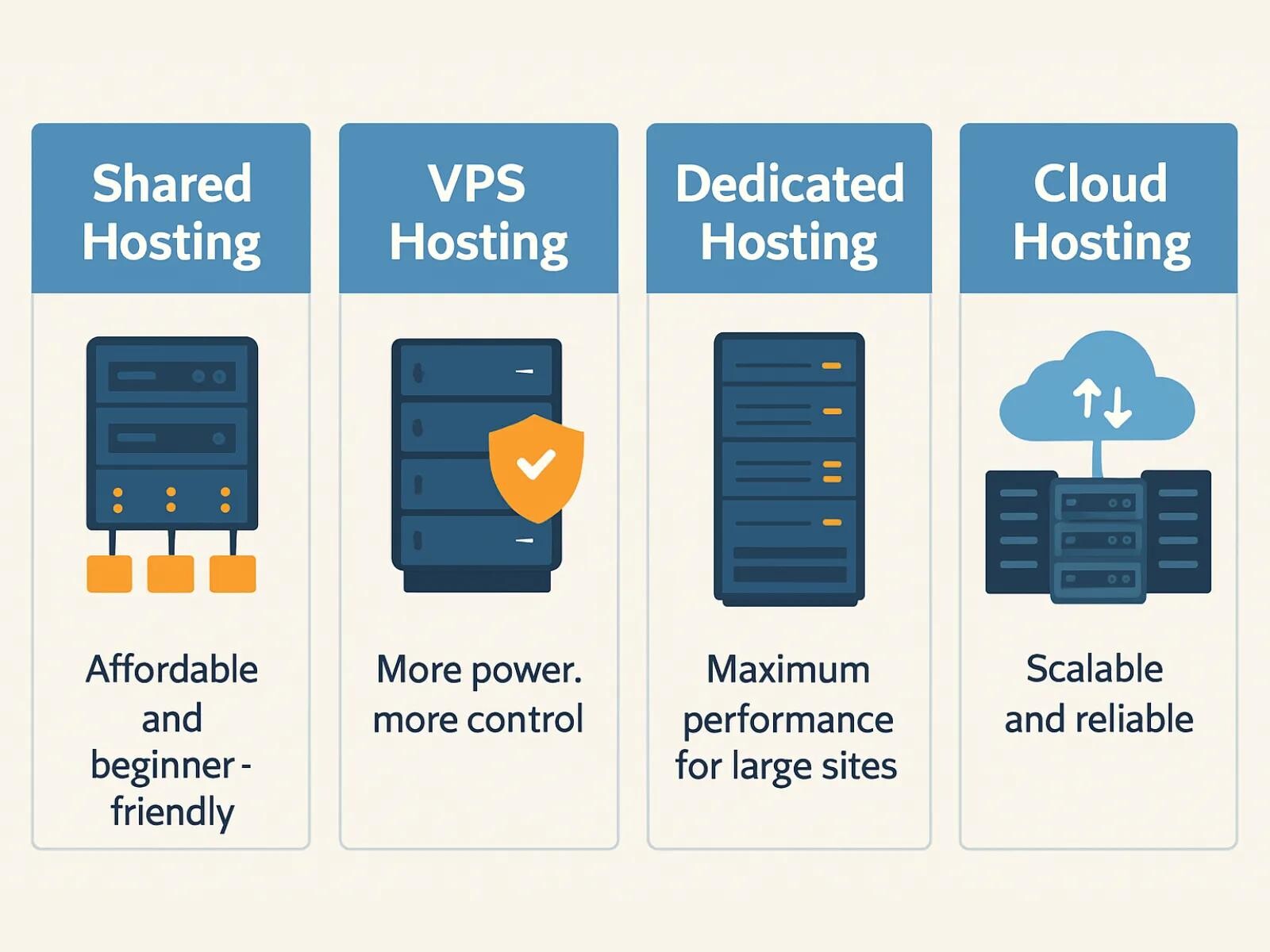
Before deciding how to choose web hosting, you should understand the main hosting options. Each type has different costs, resource arrangements, management requirements and levels of control.
1. Shared Hosting
Shared hosting places multiple websites on the same physical server. The websites share the server’s available resources, although hosting providers may apply account-level limits to control resource usage.
It is usually one of the most affordable and beginner-friendly hosting options. Many shared hosting plans include a control panel, email accounts, database tools, one-click application installers and automatic backups.
Shared hosting may suit:
- Personal blogs and small websites.
- New business websites with modest traffic.
- Portfolio websites for freelancers.
- Beginners who do not want to manage a server.
Potential limitations: You have less control over the server environment, and resource-intensive activity on the same server may affect performance. The provider also determines which software, configurations and resource limits are available to your account.
2. VPS Hosting
VPS stands for Virtual Private Server. A VPS uses virtualisation technology to divide a physical server into separate virtual server environments. Each VPS has its own allocated resources and operating system environment.
Compared with ordinary shared hosting, VPS hosting generally provides greater control over server configuration, software installation and resource allocation. Depending on the plan, you may be able to choose the operating system, install a control panel and configure applications to meet your needs.
VPS hosting may suit:
- Growing websites that need more predictable resources.
- Businesses hosting several websites or applications.
- Developers who need a configurable server environment.
- Users who require specific software or server settings.
Potential limitations: A VPS requires more technical knowledge than ordinary shared hosting, particularly if it is unmanaged. You may be responsible for operating-system updates, security configuration, backups, monitoring and troubleshooting.
3. Dedicated Server Hosting
With dedicated hosting, you rent an entire physical server for your website or applications. Unlike shared hosting and VPS hosting, the server’s hardware resources are not divided among unrelated hosting customers in the same way.
Dedicated servers can provide substantial computing capacity and configuration flexibility. They are commonly considered for large websites, demanding applications, high-volume online services and organisations with specific infrastructure requirements.
Dedicated hosting may suit:
- Large websites with substantial resource demands.
- Applications that need extensive server customisation.
- Businesses with specialist infrastructure requirements.
- Organisations that have the technical team to manage a physical server.
Potential limitations: Dedicated servers are generally more expensive and may require specialist administration. Having an entire server does not automatically guarantee good performance; software configuration, security and maintenance still matter.
4. Cloud Hosting
Cloud hosting uses virtualised computing resources delivered through a cloud infrastructure. Depending on the provider and service design, your website may use resources from multiple connected servers rather than relying on one conventional hosting server.
Some cloud hosting platforms allow you to increase or decrease resources as your requirements change. This can be useful for websites and applications that experience unpredictable traffic or need flexible infrastructure.
Cloud hosting may suit:
- Websites with changing or seasonal traffic.
- Applications that need flexible computing resources.
- Online businesses planning to scale their infrastructure.
- Developers who need cloud-based deployment options.
Potential limitations: Cloud hosting is not one standard product. Pricing, architecture, backup arrangements and management responsibilities differ significantly between providers. Some services charge according to resource consumption, so costs should be monitored carefully.
5. Managed WordPress Hosting
Managed WordPress hosting is a hosting service configured specifically for WordPress websites. The provider may handle some technical tasks, such as WordPress updates, security monitoring, caching, backups and server optimisation.
The exact services included vary. Some managed plans offer a highly simplified environment, while others provide advanced tools for developers and agencies.
Managed WordPress hosting may suit:
- Bloggers who want to concentrate on publishing.
- Businesses that depend on their WordPress websites.
- Users who prefer provider-managed technical maintenance.
- Website owners who need WordPress-specific support.
Potential limitations: Managed WordPress hosting can cost more than basic shared hosting. Some providers also restrict certain plugins, server settings or types of applications.
Shared Hosting vs VPS Hosting: Which Is Better?
One of the most common hosting decisions is choosing between shared hosting and VPS hosting. Neither is automatically better for every website. The right option depends on your traffic, technical experience, budget and resource requirements.
| Feature | Shared Hosting | VPS Hosting |
|---|---|---|
| Server environment | Multiple customer accounts share a server. | A virtual server environment runs on a physical host. |
| Resource allocation | Resources are shared subject to account limits. | Resources are allocated to the VPS according to the plan. |
| Control | Usually limited to the hosting account and control panel. | Usually offers greater operating-system and server control. |
| Technical skills | Generally suitable for beginners. | May require server administration knowledge. |
| Management | The provider manages the underlying server. | Depends on whether the VPS is managed or unmanaged. |
| Typical use | Small websites, blogs and portfolios. | Growing websites, applications and more demanding workloads. |
For a new personal blog or small business website, shared hosting may be sufficient. You can concentrate on creating content and building your audience without managing an entire server.
A VPS may be more appropriate when you need additional control, specific software, more predictable resource allocation or the ability to host multiple applications in a customised environment.
However, do not upgrade simply because VPS hosting sounds more powerful. A poorly configured VPS can perform worse than a well-managed shared hosting account. Consider the actual requirements of your website before making the decision.
Understand Hosting Resources Before Buying
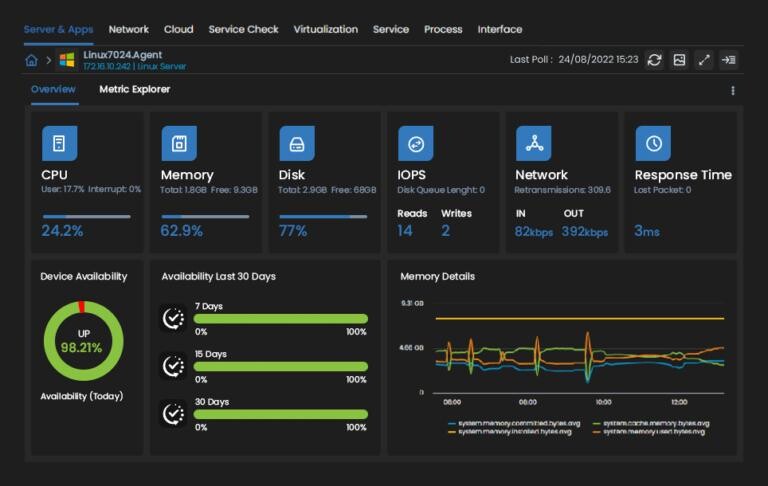
Hosting plans often advertise RAM, CPU cores, storage and bandwidth. These specifications can look technical, but understanding them will help you compare plans more intelligently.
RAM (Memory)
RAM is temporary working memory used by the server and the applications running on it. When a website processes requests, runs scripts or performs database operations, it uses memory.
A website with a lightweight theme and a few plugins may need fewer resources than an online store with a large product catalogue, multiple extensions and frequent customer activity.
For VPS hosting, check how much RAM is allocated to your virtual server. For shared hosting, ask whether the provider publishes memory limits for individual accounts or applications.
CPU Cores
The CPU processes instructions and performs calculations. More CPU capacity can help a server handle demanding tasks, but the number of advertised cores alone does not tell you everything about performance.
CPU generation, processing limits, virtualisation arrangements, software configuration and the number of simultaneous requests all matter. Check whether the provider specifies dedicated, shared or capped CPU resources.
SSD or NVMe Storage
Storage holds your website files, databases, emails, backups and other data. SSD storage is generally faster than traditional mechanical hard drives for many website workloads. NVMe storage can provide higher performance than conventional SATA SSDs, depending on the hardware and configuration.
Do not compare storage capacity alone. Check the storage technology, whether the advertised space includes email and backups, and whether there are limits on file usage or inodes.
Bandwidth and Data Transfer
Bandwidth describes the capacity of a network connection to transfer data. Hosting providers also use the term when describing monthly data-transfer allowances or limits.
Check exactly what a provider means by bandwidth. A plan advertised with a monthly transfer allowance is not necessarily describing the same thing as a network port speed. Also check whether there are fair-use policies, traffic limits or additional charges.
Server Location
The physical location of a hosting server can affect the network distance between your website and its visitors. If most of your audience is in Nigeria, for example, consider the network performance from Nigerian internet connections rather than choosing a server location based only on its name.
A nearby server is not automatically faster in every situation. Network routing, server performance, caching and the provider’s connectivity also influence the experience. A content delivery network (CDN) can help deliver static website resources from locations closer to visitors.
How to Choose Web Hosting: 7 Important Things to Check
Knowing the different types of web hosting is only part of the decision. Before paying for a plan, examine the provider’s service details and policies.
1. Reliability and Uptime Policy
Your website should be accessible when visitors need it. Look for a provider that publishes an uptime commitment or service-level agreement and explains what happens when that commitment is not met.
Do not rely only on advertising statements such as “100% uptime”. No hosting environment can be assumed to be immune to hardware failures, software problems, network interruptions or maintenance. Read the actual terms and look for independent customer feedback.
2. Backup and Restore Facilities
Backups help you recover your website after accidental deletion, failed updates, malware incidents or server problems.
Before choosing a plan, find out:
- How frequently backups are created.
- How long backup copies are retained.
- Whether databases and email accounts are included.
- Whether you can restore files and databases yourself.
- Whether backups are stored separately from the main server.
- Whether restoring a backup attracts an additional fee.
Even when a hosting provider offers automatic backups, maintain your own independent copies of important website data. A backup that has never been tested may not provide the recovery you expect.
3. Security Features
Hosting security should be more than a marketing label. Ask what protections are included and which responsibilities remain yours.
Useful features may include:
- Free or supported SSL/TLS certificates for HTTPS.
- Server and application security updates.
- Malware scanning and incident response procedures.
- Firewall protection and account isolation.
- Protection against common denial-of-service attacks.
- Secure account access and multi-factor authentication where available.
Remember that website security is a shared responsibility. Even with a secure hosting provider, you should use strong passwords, update your CMS and plugins, remove unused extensions and limit administrative access.
4. Customer Support
Technical problems can happen at any time. Reliable support can make a significant difference, especially when your website is important to your business.
Check the provider’s support channels, operating hours and response commitments. Find out whether support covers server faults only or also helps with website configuration, email delivery, DNS and application issues.
If you are new to website management, accessible support and clear documentation may be more valuable than a long list of advanced technical features.
5. Renewal Pricing and Extra Charges
Some hosting providers offer an introductory price that increases when the initial subscription period ends. Others charge separately for services such as domain registration, migrations, backups, email hosting, dedicated IP addresses or premium support.
Before purchasing, compare the initial price with the renewal price. Check the billing period, refund policy, taxes, currency conversion and any additional charges that may apply.
For customers paying from Nigeria, it is also sensible to confirm the accepted payment methods and whether the final charge may change because of foreign-exchange rates or bank fees.
6. Control Panel and Ease of Use
A hosting control panel provides an interface for managing common hosting tasks. Depending on the provider, it may allow you to create email accounts, manage databases, install applications, configure domains and access files.
Common examples include cPanel, Plesk, DirectAdmin and other provider-specific control panels. Some VPS users also install a control panel, while others manage their servers through the command line.
Choose an interface that matches your technical confidence and the tasks you need to perform. If you are a beginner, a straightforward control panel can reduce the learning curve.
7. Upgrade and Migration Options
Your website may grow beyond its original hosting requirements. A provider should offer a practical upgrade path, whether that means moving to a higher shared hosting plan, upgrading a VPS or migrating to another hosting environment.
Ask whether the provider offers migration assistance, whether downtime is expected and whether there are charges for moving your website. Also check whether you can download your website files and database if you decide to leave.
What Hosting Do You Need for a WordPress Website?
WordPress can run on different hosting environments, including shared hosting, VPS hosting, cloud hosting and managed WordPress hosting. Your choice should depend on the size and complexity of the website, expected traffic, available support and your ability to manage the server.
For a new WordPress blog or small business website, a suitable shared hosting plan may be enough. A growing website with more demanding plugins, frequent visitors or several websites may benefit from a VPS or a managed WordPress service.
When comparing hosting for WordPress, check the software environment as well as the advertised hardware resources. WordPress.org currently recommends hosting that supports PHP 8.3 or greater, MariaDB 10.11 or greater or MySQL 8.4 or greater, and HTTPS. Apache or Nginx is recommended. Requirements and compatibility can change, so check the official WordPress requirements before purchasing.
Visit the official WordPress hosting requirements for the latest recommendations.
You should also consider:
- Whether the hosting provider supports the WordPress version you intend to run.
- Whether the PHP version can be updated when necessary.
- Whether the database service is supported and maintained.
- Whether HTTPS certificates can be installed and renewed.
- Whether the plan provides enough PHP memory and other application limits for your theme and plugins.
- Whether backups include both WordPress files and the database.
- Whether staging or testing facilities are available if you need to test changes safely.
If you are still learning WordPress, our guide WordPress in 2026: Features, AI Tools, Costs, Security and How to Build a Website explains the platform and the practical steps involved in building a website.
Common Web Hosting Mistakes Beginners Should Avoid
Choosing a hosting plan based only on its advertised price or specifications can lead to problems later. Avoid these common mistakes:
- Buying more resources than you need: An expensive server is not automatically the best choice for a new website. Start with a suitable plan and upgrade when there is a clear reason.
- Choosing the cheapest plan without checking its limits: A low price may come with restrictions on storage, email, databases, backups or resource usage.
- Ignoring renewal prices: Always check what you will pay after the introductory period.
- Assuming backups are guaranteed recovery: Confirm how backups are stored and test your own recovery process.
- Ignoring server management responsibilities: An unmanaged VPS may require you to handle security updates, firewall rules, monitoring and troubleshooting.
- Overlooking support quality: A low-cost service may become expensive in time and lost business if help is difficult to obtain.
- Failing to plan for growth: Consider how you will upgrade or migrate if your website becomes more demanding.
When Should You Upgrade Your Web Hosting?
You do not need to upgrade hosting simply because your website has been online for a certain number of months. Instead, look for measurable signs that the current plan is no longer suitable.
Possible warning signs include:
- Your hosting account regularly reaches CPU, memory or other resource limits.
- Your website becomes slow during normal traffic periods despite reasonable optimisation.
- You receive repeated resource-limit warnings from your provider.
- Your website needs software or server settings that your current plan does not support.
- Your online store or application has outgrown the resources available on the existing plan.
- You need more control over the server environment.
Before upgrading, investigate the cause of the problem. Slow performance can result from oversized images, poorly configured plugins, inefficient database queries, excessive external scripts or a lack of caching. Moving to a more expensive plan will not automatically correct every website problem.
Review your resource usage, application logs and hosting provider’s recommendations. If the existing plan is genuinely insufficient, choose an upgrade that addresses the specific limitation.
Frequently Asked Questions About Choosing Web Hosting
1. Which type of web hosting is best for beginners?
Shared hosting is often a practical starting point for beginners because it is generally affordable and the provider manages the underlying server. It can be suitable for personal blogs, portfolios and small business websites. However, beginners who need more control or want to learn server administration may prefer a managed VPS.
2. Is VPS hosting better than shared hosting?
VPS hosting generally offers more control and a separately allocated virtual server environment. Shared hosting is usually easier to manage and more affordable. The better option depends on your website’s requirements, technical skills and budget.
3. How much RAM do I need for a website?
There is no universal RAM requirement for every website. Memory usage depends on the application, traffic, plugins, theme, database activity and server configuration. A simple website may need relatively few resources, while an online store or resource-intensive application may need considerably more. Check actual usage and provider limits rather than relying on a fixed visitor-to-RAM formula.
4. Can I host multiple websites on one hosting plan?
Some hosting plans allow multiple websites, while others restrict you to one website. Check the number of permitted domains, databases, storage limits and resource restrictions before purchasing. Also consider whether the websites will share the same account resources.
5. Do I need VPS hosting for WordPress?
No. Many WordPress websites run successfully on shared hosting or managed WordPress hosting. VPS hosting becomes worth considering when you need greater control, additional resources or a server configuration that your current plan cannot provide.
6. Does web hosting affect website speed and SEO?
Hosting can influence website speed, availability and server response time, which contribute to the overall user experience. However, hosting is only one part of website performance. Your theme, images, plugins, caching, code quality and content delivery network can also affect loading speed. Good hosting alone does not guarantee higher search rankings.
7. Can I change my hosting provider later?
Yes. You can migrate a website to another hosting provider. The process usually involves transferring website files, databases and email data where applicable, then updating DNS records. Plan the migration carefully, keep a verified backup and test the new website before directing all visitors to it.
Conclusion: Choose Hosting That Matches Your Website
Learning how to choose web hosting is an important step towards building a reliable website. The best hosting plan is not necessarily the most expensive or the one with the largest advertised specifications. It is the option that provides the resources, security, support and flexibility your website actually needs.
For a small blog or new business website, shared hosting may be a sensible starting point. A growing website or application may benefit from VPS hosting, while cloud and dedicated hosting can serve more specialised infrastructure requirements. Managed WordPress hosting is another option if you want a service designed around WordPress and prefer the provider to handle more of the technical maintenance.
Compare the complete service rather than looking at price alone. Check resource limits, backups, security, support, renewal costs and upgrade options. By understanding these factors, you can make a more informed decision about how to choose web hosting that supports your website today and provides a practical path for future growth.